

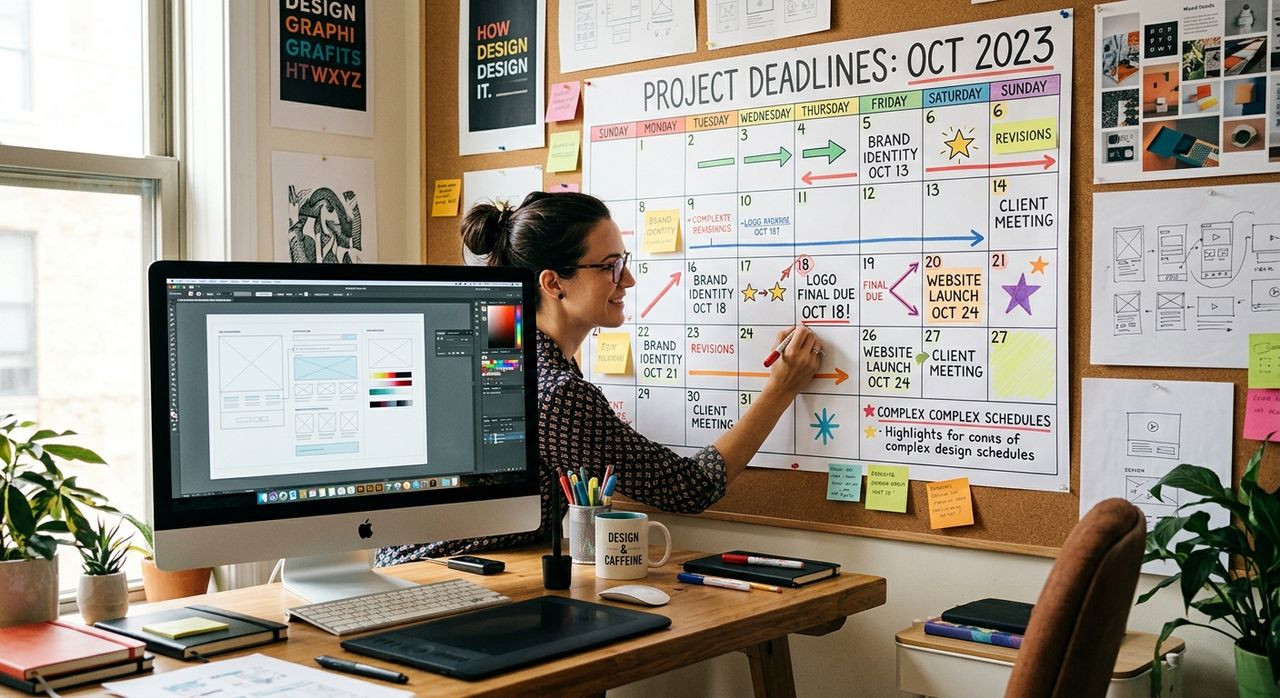
Running three client projects at once is the norm in graphic design, not the exception. One client wants a logo revision by Thursday. Another needs social media assets before the weekend. A third just dropped feedback that resets your schedule entirely. Tracking all of this inside a phone or a browser tab means you are constantly pulled out of the work itself, chasing notifications instead of finishing the thing that actually gets invoiced.
Key Takeaways:
- Phone-based planning tools increase context-switching, which pulls designers out of creative focus
- A physical planning surface gives you a full-week view with zero app interruptions
- Mapping each deliverable to a specific day prevents deadline pileups at the end of the week
- The weekly format mirrors how client timelines naturally overlap in real design projects
- Paper planning creates a visible decision record you can reference without unlocking your phone
Why Creative Work and Digital Calendars Fight Each Other
Designers need long, uninterrupted blocks of time to do their best work. This is not a personal quirk. Research on human multitasking shows that even brief interruptions force the brain to reload its working memory when returning to a previous task. For a designer deep in color correction or type hierarchy, those reloads are not small costs. They add up over a full working day and consistently push the most complex tasks toward the end of the week, exactly when client deadlines are converging.
Digital calendars make this worse, not better. They are built around appointments, meetings, and alerts. They are not built around the texture of design work, which is less about fixed time slots and more about sequences of dependent tasks. Sending mockups depends on finishing the layout. Finishing the layout depends on getting copy from the client. Getting copy depends on whether the client responds before noon or after dinner. A calendar app handles none of that dependency gracefully, and every time it pings you, it takes a piece of your focus with it.
The Specific Pressures Designers Face
A typical design workload does not move in a straight line. Asset delivery windows can shift with a single email. Revision rounds arrive with new file requirements. Brand guidelines change mid-project. Print specs get updated after the design is already finalized.
All of these situations require a planner that can be rewritten in seconds, not one that forces you to drag tasks across a grid inside an app. A paper surface handles this with a pen. Scratch it out, rewrite it, done. No syncing. No version history to reconcile. No calendar permission requests from shared team accounts. The ability to physically alter a plan is not a limitation of paper, it is one of its core strengths for work that changes as often as design projects do.
Mapping the Design Week Without a Phone
The design week usually has a natural shape. Mondays tend to involve reviewing what arrived over the weekend and setting priorities. Midweek is peak production time. Thursdays are often review and revision days. Fridays involve sending deliverables and clearing the slate before the next cycle starts.
A weekly planner puts this shape on paper and makes it concrete. Instead of holding the entire week's structure in your head, you write it down. Each client gets a section. Each deliverable gets a specific day. Revision rounds get their own time block, separate from initial production. This is not just organizational tidiness. It prevents the cognitive load of constantly recalculating your priorities while you are trying to do the actual design work, which is the thing clients are paying for.
The paper format also makes schedule conflicts visible before they become crises. If three clients all expect final files on Friday, the planner shows that immediately. A designer can then negotiate delivery dates or shift non-critical tasks earlier in the week. That kind of calendar triage is much harder to do inside an app where everything is the same size and the same color.
Digital App vs. Physical Planner: A Design Workflow Comparison
| Planning Feature | Digital Calendar App | Physical Weekly Planner |
|---|---|---|
| Notification interruptions | Frequent | None |
| Rewriting after changes | Drag and drop, sometimes slow | Instant with a pen |
| Full-week visibility | Requires scrolling | Visible all at once |
| Dependency tracking | Limited | Flexible, write your own |
| Context-switching risk | High | Low |
| Offline access | Depends on sync | Always available |
How Designers Build a Repeatable Planning Habit
The designers who stay on top of complex multi-client workloads tend to do their planning at a fixed time each week, usually Sunday evening or first thing Monday morning. The process is straightforward. Pull out the planner, list every active project, note every pending deliverable, and assign each one to a specific day. Then protect that plan.
That last part is the hard part. Clients send urgent emails. New projects land mid-week. The temptation to react immediately and restructure the whole week is strong. A physical planner helps resist that temptation because rewriting it feels like a decision, not a default. You have to actively choose to move something, which creates a small but meaningful pause before reacting to every incoming request.
Many designers also use the planner as a daily check-in tool, not just a weekly one. At the start of each day, a two-minute review of the week's layout confirms priorities and prevents the common scenario where an important deliverable gets overlooked because a louder, less important task dominated the morning.
The Focus Advantage Nobody Talks About
There is a secondary benefit to physical planning that rarely surfaces in productivity conversations: it removes one more reason to pick up your phone. Every time a designer reaches for their device to check their schedule, they are exposed to whatever else is waiting there. A push notification. An unread message. A social media badge. Physical planning removes that exposure entirely. The schedule lives on the desk, not on the screen.
According to research on time management, effective scheduling requires not just recording tasks but actively deciding when and in what sequence to address them. Physical planners support that kind of deliberate prioritization far better than tools designed around constant reactivity.
When Deadlines Overlap and the Week Gets Messy
Even well-planned weeks fall apart sometimes. A client rushes a project. A print run gets moved forward. An illustration that was supposed to take two days takes four. When this happens, the value of a physical planner becomes most obvious.
You can see the whole week at once. You can draw a line through something that has moved. You can write a new note in the margin without navigating a menu or tapping through three screens. None of this requires a login, a sync, or a screen unlock. The planner stays open on your desk and becomes a constant, low-friction reference point throughout the working day, not a destination you have to seek out.
Designers who treat their planner as a primary tool rather than a backup to their phone tend to report better focus during production hours. Not because paper is magic, but because it shifts planning out of the digital space where every other distraction also lives.
The Visual Thinker's Scheduling Advantage
The irony is that graphic designers, who think carefully about every visual element in their client work, often underestimate the value of how they organize their own time. A weekly planner is a visual tool. It uses space, layout, and structure to communicate information at a glance. Designers understand that instinctively when working on a brand identity or an editorial layout. Applying the same spatial logic to personal workflow planning is not a compromise. It is a natural extension of the same visual thinking that makes design work effective in the first place.
Deadlines do not disappear when you write them on paper. But they become easier to hold, easier to sequence, and much easier to protect when the planning surface does not compete with the rest of your digital life for attention. For designers who are serious about protecting their best creative hours, a paper planner is one of the few tools that genuinely does not cost them anything except a few minutes each Monday morning.