

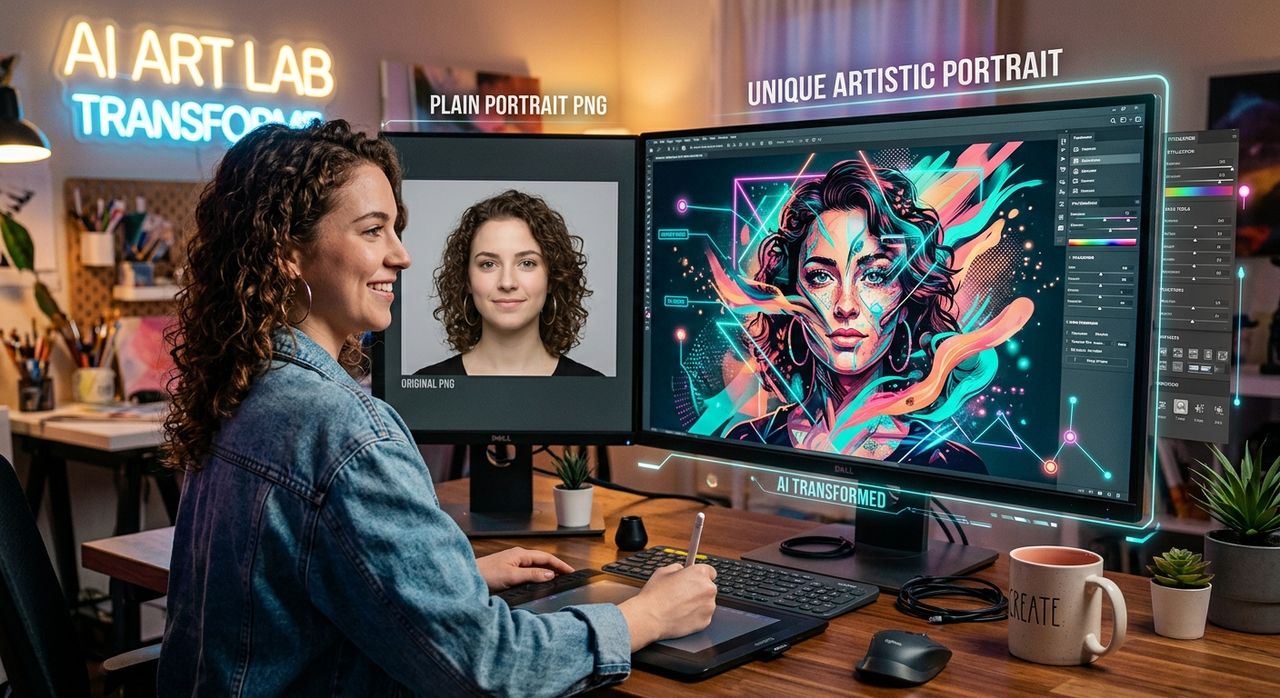
You need a polished portrait for a speaker bio, a LinkedIn update, or a client-facing presentation deck. So you head to a free image library, download a clean portrait PNG, drop it into your design, and... it looks exactly like what it is. A stock photo. The lighting is fine. The framing is competent. But there is nothing distinctive about it, and your audience will notice.
That gap between "technically acceptable" and "actually compelling" is where a lot of creative projects stall. The good news is that AI face tools have made it much easier to close that gap, even if you have no access to a studio, a photographer, or an expensive editing suite.
Key Takeaways:
- Generic portrait PNGs work as placeholders but rarely pass as authentic, on-brand assets
- The PNG format preserves transparency and image detail, making it ideal for portrait editing workflows
- AI face tools can transform a flat stock portrait into a polished, professional-quality image in minutes
- Browser-based tools require no software installation and work directly with downloaded PNG files
- Practical use cases include LinkedIn profiles, speaker bios, client presentation decks, and social media graphics
Why Stock Portrait PNGs Always Look the Same
Free image libraries serve millions of users. Their portrait assets are built for maximum neutrality, which means minimal personality. The subject faces the camera with a pleasant but forgettable expression. The background is white, grey, or blurred into near-invisibility. The lighting is even, safe, and corporate.
That approach works when you are mocking up a UI or filling a placeholder in a wireframe. It stops working the moment you need the portrait to actually represent a real person, a brand, or a professional identity. Designers who work on LinkedIn profile graphics, speaker pages, or client bio sections run into this problem constantly.
The Portable Network Graphics format handles the technical side well. It supports transparency, retains high color depth, and stays crisp through multiple rounds of editing. But no amount of format quality fixes a portrait that looks like it was chosen from a dropdown menu.
What "Professional" Actually Means in a Portrait
Before reaching for any AI tool, it helps to understand what separates a generic stock portrait from one that reads as genuinely professional. It is not just resolution or lighting. It is a combination of factors that together create the impression of intentionality.
- Lighting that matches the subject's context, not just balanced studio light
- A background that reinforces the brand or professional environment
- An expression and pose that convey confidence without stiffness
- Consistent color treatment that ties the portrait to surrounding design elements
- Framing suited to the intended platform, whether that is a square LinkedIn thumbnail or a tall speaker card
Stock portraits check one or two of these boxes at best. They are optimized for neutrality, not for brand fit.
The Studio Access Problem
Most people who need a professional headshot do not have easy access to one. Hiring a photographer costs money and time. Not every freelancer, solopreneur, or small team has that budget. Even within larger organizations, getting updated portraits for every team member across different time zones is a logistical headache.
This is where AI-powered tools have genuinely shifted the situation. The underlying technology, often based on generative models documented in research on generative adversarial networks, can analyze a face in a source image and apply realistic studio-quality adjustments without any physical studio involved.
For a designer working with a downloaded PNG, this means something practical: you can take a decent source image and refine it into something that looks intentional and polished, entirely in a browser window.
Turning a Downloaded PNG Into a Real Headshot
The most practical application of AI face tools for PNG-heavy workflows is portrait refinement. You take an existing portrait, whether it is a photo someone sent you as a PNG, a downloaded asset, or a cropped image, and run it through a tool that applies professional treatment automatically.
A headshot generator does exactly this. You upload a portrait image and the AI applies adjustments that mimic professional photography conditions: corrected lighting, a clean or contextually appropriate background, improved framing, and a consistent color palette. The output is a portrait that reads as intentional, not incidental.
This matters most in a few specific scenarios:
- LinkedIn profile updates: A generic stock PNG on a profile page signals that you have not put effort into your personal brand. An AI-processed portrait that looks professionally lit changes that perception immediately.
- Speaker bios and event pages: Conference organizers expect headshots that look credible. A polished portrait increases the chance that your listing looks authoritative and worth clicking.
- Client presentation decks: When presenting a team to a new client, placeholder-quality portraits undercut the professionalism of your proposal before a single word is read.
- Social media profile graphics: Platforms compress images heavily, but a well-processed headshot holds up better than a flat stock portrait under compression.
- Website about pages: Visitors form immediate impressions. A portrait that looks real and engaging keeps people on the page longer than one that screams "stock photo."
Portrait Asset Quality at a Glance
| Asset Type | Brand Fit | Authenticity | Cost | Time Required |
|---|---|---|---|---|
| Free stock PNG | Low | Very low | Free | Minimal |
| Paid stock photo | Low to medium | Low | Low | Minimal |
| Professional photoshoot | High | High | High | Significant |
| AI-processed portrait PNG | Medium to high | Medium to high | Low | Minimal |
A Practical Workflow for Designers
Getting from a downloaded PNG to a usable, polished portrait does not require advanced editing skills. This basic workflow suits most use cases.
- Start with the best source image you have. Higher resolution is better. Even a PNG downloaded at 1080px wide gives AI tools enough data to work with.
- Crop the portrait before uploading. Center the face in the frame with some shoulder visible. Extreme close-ups or distant full-body shots do not process as cleanly.
- Choose your output context. Most AI tools let you specify the target use, such as LinkedIn, business headshot, or social media. This guides the style of the output.
- Review the AI output critically. Check for unnatural skin smoothing, odd lighting edges, or background artifacts. Download the version that passes your review.
- Export as PNG to preserve transparency. If you are placing the portrait over a custom background in your design, keeping the transparent format gives you maximum flexibility.
Where AI Face Tools Still Have Limits
It is worth being realistic here. AI face tools are not magic. They work best on clear, well-lit source images. A blurry or heavily compressed input produces a blurry or compressed output, just with better lighting applied to it. The technology improves the presentation of a portrait but cannot reconstruct detail that was never captured in the first place.
There are also ethical considerations. Using AI to alter portraits of real people without their knowledge raises consent issues, particularly in professional and publication contexts. The clearest ethical use case is applying these tools to portraits of yourself, or to clearly fictional or stock-originated images where the intended use is understood by everyone involved.
- AI tools work best on portraits with clear facial features and even base lighting
- Always have consent or the right to modify the image before running it through any AI transformation
- Review outputs carefully for artifacts around hairlines, ears, and background edges
- Keep original PNG files as backups before any AI processing
When the Gap Becomes Obvious
Designers often notice the stock-portrait problem at the worst possible moment. A client approves a mockup, the design goes live, and then someone on the client team asks why the "About Us" page looks like a furniture catalog. The portraits were not wrong, technically. They just were not right.
AI face tools give you a practical way to address that before it becomes a problem. Whether you are working on a personal branding project, helping a client update their team page, or building a presentation deck under a tight deadline, the ability to take a downloaded portrait PNG and turn it into something that looks thoughtful and professional is genuinely useful.
The PNG format is already doing its job well: transparency, color fidelity, and detail across edits. The opportunity is in what you do with the image once you have it. AI tools have made that next step accessible to anyone with a browser and a decent source file, which is most people working in design today.